Tuesday, July 25, 2006

Why Beta Software Is Hard To Use, and How A Huge Company Still Listens to the Little Guy

T
his is the umpteenth post in my series on porting a .NET-laden, grid-enabled spreadsheet to run on Excel Services. In my last post (Adapting a Spreadsheet to Excel Services), I discussed the process that took me from a complex spreadsheet with .NET code-behind to an Excel Services spreadsheet calculating in SharePoint 2007.

After I had calculation happening (including running a job on the Digipede Network, gathering results, and bringing the data back into Excel), I just had to pretty up my spreadsheet with some pretty colors and some charts. Sounded easy enough, but it took two agonizing days.

Betas Have Bugs
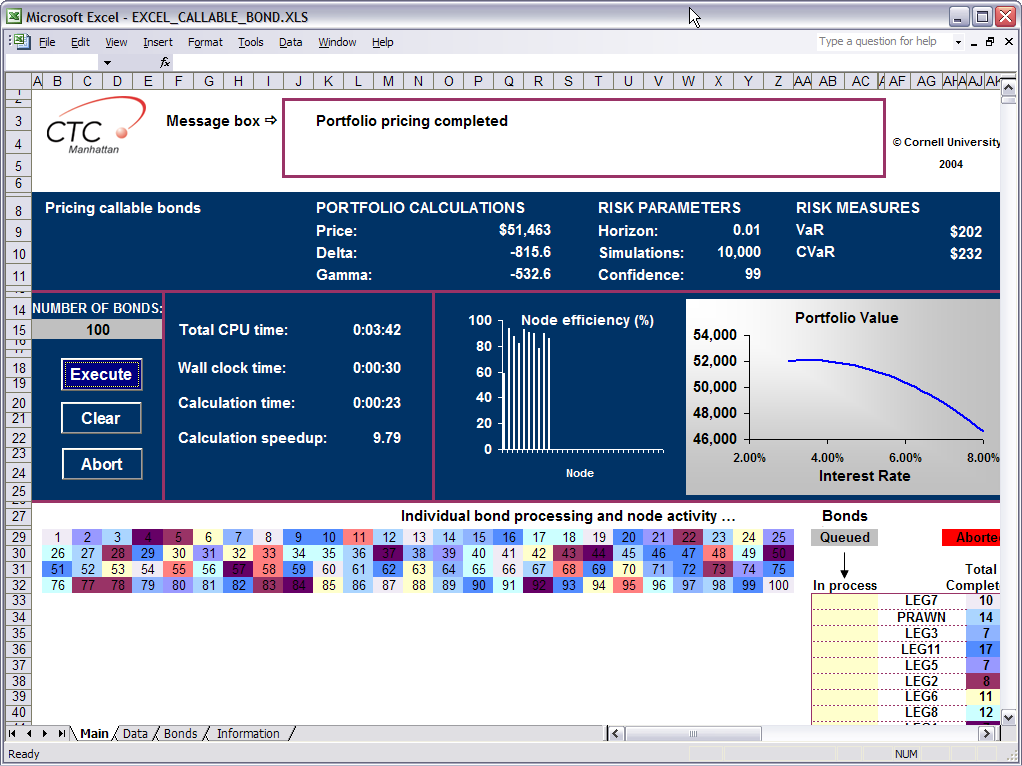
The first problem I had turned out to be an honest-to-Pete bug in Excel Services. As I detailed last time, my User Defined Function was returning an 8x264 array of data into my spreadsheet. My plan was to have 2 charts, just like the spreadsheet I was modeling. In my original spreadsheet the 2 charts were each of dynamically updated while the job ran on the grid. Unfortunately, due to the architecture of Excel Services, I couldn't have dynamically updating graphs, but that was no big deal.

Using Excel 2007, I made a spreadsheet look just like my original spreadsheet--the charts used the return data from my User Defined Method as their source data. When my spreadsheet looked passable, I published it to SharePoint. It looked pretty good! I entered a number of bonds and pressed the "Apply" button. This launched a job on the grid as expected.

I waited for the results to come back. It should have taken 20 or 30 seconds, and I had been waiting for several minutes. I checked Digipede Control to see the status of the job--and I noticed that there were several jobs in the system. There was only one job running, but as soon as it completed, another job started. I cancelled it--and another job started. I cancelled it--and another job started.

My spreadsheet was out of control! It was starting jobs over and over again, as if it were stuck in a loop. I had to bounce IIS on the SharePoint server to get it to stop submitting jobs.

I was flummoxed. The logic in my spreadsheet had been working fine--I had just added some charts and a "pretty" front page. Why was it launching jobs repeatedly?
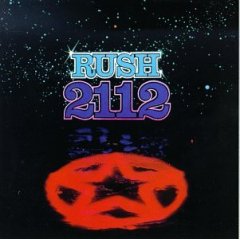
I dashed an e-mail off to Shahar Prish, a member of the Excel Services team whose Cum Grano Salis blog had been very informative when I was designing this whole thing. As I tried to get more information, I realized that my User Defined Method was getting called exactly 2,112 times. What? Some Rush fan's idea of an Easter Egg? No--I was returning an 8x264 array: exactly 2,112 values. My method was getting called for each cell in the array. Definitely bad.

To my surprise, Shahar e-mailed me back within minutes asking for more details and a sample. I couldn't believe it! This is a 60,000 employee company, and a product that's used by millions of people! I had e-mailed a developer and within minutes he was corresponding with me. Very, very impressive. I credit Scoble for helping to create such an open, blog-friendly, customer-friendly environment.

I packaged up a sample that exhibited the behavior (pulling out all Digipede code so he could run this on his machine). While I was pulling this together, I realized something very strange: my method was only getting called multiple times only if a cell that preceded it in the spreadsheet was dependent on the results.

Let me repeat that. If cell A1 was dependent on my results (say they were in A2:H264), my method was called repeatedly. If cell J:10 were dependent on my results, the method would only get called once (as expected). This was very strange behavior.

I sent the sample to Shahar for him to investigate. But, in packaging up the sample, I had found the workaround to my problem: don't have anything before the array be depedent on the array! Easy enough--I dragged my "results" sheet to the front of my workbook. Like magic, everything was working again!

[Note: I received an e-mail from Shahar the next morning. I had indeed found a bug in Excel 2007 beta 2! Funny thing, though: the developers had found that bug the same night I had. Full story here on Shahar's blog.]

Not all bugs are easy bugs
From there on out, I used an iterative process of tweaking my spreadsheet (just UI stuff), publishing it to SharePoint, and tweaking it again. And I soon experienced more bad Excel Services bevavior.

Periodically, when editing my workbook, when I would publish it to Excel Services I would get the following message:

Unable to open Workbook
The file you selected cannot be opened because it is corrupt, protected by Information Rights Management, or in a file format not supported by Excel Services. Excel 2007 may be able to open this file. Would you like to try and open this file in Excel 2007?

Similarly, at periodic intervals when publishing, I would see this message:
Excel Web Access
An error has occurred. Please contact your system administrator if this problem persists.

Over time, this grew infuriating. I was only editing these files in Excel--there was no reason for them to be "corrupt." Each time, they could still be edited in Excel 2007, but Excel Services/SharePoint would balk. I would have to start over from scratch designing my workbook.

Eventually, I kind of gave up on ExcelServices's ability to serve as a repository for my workbook. Instead, I worked from my local copy. I would make an edit, then publish it up to Excel Services. I'd look to see what needed tweaking. But instead of editing the copy in SharePoint, I'd edit the local copy on my hard disk (making sure I made a copy first, every single time). Then, I'd publish it to Excel Services, overwriting the previous version. If I published it and got an error, I'd just go back one revision.

It was tedious, and it took me 50 copies to get things right, but in the end the spreadsheet looked terrific. I even threw in some conditional formatting to show off some of the Excel 2007 features.

All in all, it was a great experience. I knew I was working with beta software, so having problems didn't really bother me. The demo looked great, and I got it to my partner on time. I loved Excel 2007. I was fairly impressed with Excel Services, although there are clearly still some bumps in the road.

And I was very impressed with the responsiveness of the Excel team!

Monday, July 24, 2006

Adapting a Spreadsheet to Excel Services

A
s part of my continuing series of posts on Excel Services, I'm going to relate my experiences with taking a (fairly complicated) spreadsheet and adapting it to run on Excel Services.

First, you should know that this was not a run-of-the mill, typical spreadsheet. As far as I can tell, taking a "normal" spreadsheet and publishing it to Excel Services would be simple and effective. However, this was far from a simple spreadsheet.

This is the spreadsheet I wrote about in my Kicking a Half-KLOC post: a complicated spreadsheet that takes a portfolio of callable bonds, calculates each of their values under a variety of interest rates (using a grid to do so), then takes the results of those computations and calculates total portfolio value and some value at risk numbers. It's several steps of computation, one of which iterates through many bonds (starting a job on the grid in the process), and the later calculations depend on the results of the earlier calculations.

Whew.

As I learned about Excel Services, I realized that my spreadsheet would need some serious rearchitecture--both from a logic-flow perspective as well as a physical (which information lives on which sheet in the spreadsheet) perspective.

This spreadsheet had originally been written with .NET code behind (hurray, VSTO!). The user clicked a button to start the job, and the .NET code behind would pull values out of certain cells in the spreadsheet, then launch a job on the grid. As results came back from the grid, the data from those results were posted in different cells on different sheets (there were results for each individual bond, as well as efficiency numbers that monitored the efficiency of each node on the grid). After the entire job completed, the calculation moved into a second phase that took results from the cells that had been filled in the first phase and calculated final portfolio value and value at risk.

I learned about using User Defined Functions in Excel Services, and I verified that it would be simple to start a job on the Digipede Network from within a UDF. Great - I thought that may be the biggest hurdle.

However, I quickly realized that I was going to have to make significant changes to the way the code behind the spreadsheet works. When working with a spreadsheet in Excel Services, the spreadsheet is only evaluated one time. The user is presented with an HTML-rendered version of your spreadsheet, fills out some input values, then clicks an Apply button. When the Apply button is clicked, if you have User Defined Functions in your spreadsheet, those function gets called. However, it isn't an iterative process. Whereas I had had a very iterative process (events were getting raised, values were being set in cells, other events were getting raised, values were being pulled from cells, other calculations were started), I realized I needed a much more rigorously defined process.

I needed to put everything into one User Defined Method: calculate the value for each bond, then total up the portfolio, then calculate the value at risk. And I needed to return all of that data at once: the information for each bond, the total portfolio information, the value at risk, and all of the efficiency information.

This was a significant change for me. Rather than have a step-by-step, event-driven process that stored intermediate results in the Excel spreadsheet itself, I needed to create a single method that did all of my calculation, then returned all of my data.

That wasn't too much work. I basically had to take three methods in my original code-behind and invoke them sequentially (storing the return values myself rather than using Excel cells to store them along the way). Pretty easy, actually. At the end of my method, I created a huge two-dimensional array of objects (8x264, actually) and returned those. The first row of results had any messages for the user. The second row had the final values for my computation. The next 32 rows had data on the first 32 nodes that worked on the job (efficiency, number of tasks completed), and the next 30 rows had an array of interest-rate-to-portfolio-values. The last 200 rows had data on each bond in the portfolio.

Next, I had to deal with getting the data into that method and then back to the spreadsheet.

Creating the method was easy: I knew the inputs to my algorithm. So my method call looked like this:
public object[,]
PerformCallableBondsCalcs(int numBonds, int numSimulations, double r0, double vasicek_a, double vasicek_rbar, double vasicek_sigr, string url, string username, string password, object[,] bondInfo)
Ten arguments, including a two-dimensional array of bond information.
To invoke that method from a single cell is easy:
=PerformCallableBondsCalcs(A1, A2, A3, A4, A5, A6, A7, A8, A9, Bonds!A1:C200)


But I didn't need the answer in a single cell! My method was going to return two-dimensional data, not zero dimensional data. Some quick research into Excel taught me how to return multi-dimensional (well, that is, one- or two-dimensional) data from a function call.

First, highlight the group of cells where you want the data to end up (in my case, an 8 by 264 cell region). Then, in the formula bar, type your method call (see above). Then, hit CTRL-SHIFT-ENTER. Your formula is entered in all of those cells, with curly braces around it (like this):
{=PerformCallableBondsCalcs(A1, A2, A3, A4, A5, A6, A7, A8, A9, Bonds!A1:C200)}


Now, I had the architecture I needed:
  1. All of my logic was going to happen sequentially in my method call
  2. I wasn't storing intermediate results in Excel; I was keeping them locally in my code
  3. I had all of my inputs going into a single method call
  4. My method was returning all of my results in a two-dimensional array
  5. The two-dimensional array was populating a region of my spreadsheet


I put it all together and...it worked!

This was exciting. I had allocated several days for this, and it took me less than one. I was very excited.

I thought that the hard part was over. All that was left was to format my spreadsheet to take all of that returned data and make it look good. Little did I know that all of the hard parts still lay in front of me...

More in the next installment: Why Beta Software Is Hard To Use, and How A Huge Company Still Listens to the Little Guy.

Technorati tags: ,

Friday, July 21, 2006

What Is Excel Services 2007, and What Is a User Defined Function and Why Should I Care?

A
s I said in my previous post, I've been up to my ears in Excel 2007 and Excel Services for the last week or so. Here's the first in my series of posts describing my experiences.

First of all, what is Excel Services? If you really want to hear this from experts, go read Shahar (Cum Grano Salis) and David's (Excel 2007) blogs. They work on the team, so they both have great insight. Shahar also has very good programming tips, and photos of a soccer ball about to be born.

Here's my outsider's take on what's going on with Excel Services. Microsoft has done a bunch of work to add capability to SharePoint Server 2007 to integrate with Excel. You can now take a spreadsheet, publish it to SharePoint, and have SharePoint make that spreadsheet available in 3 ways:
  1. Share the document itself (SharePoint has been able to do this for a while)
  2. Make the spreadsheet available as a web service. You designate certain fields in the spreadsheet as inputs, certain fields as outputs, and you publish it to SharePoint. The logic behind your spreadsheet is now available as a web service. Cool stuff.
  3. SharePoint can now dynamically render that spreadsheet as HTML in a browser. Again, you can specify certain fields as inputs. When your users view the spreadsheet in their browser, they can enter the inputs. Excel Services recalculates the spreadsheet based on their inputs and re-renders it to HTML.
This last thing is really cool stuff. This means that you can now give access to a spreadsheet to anyone in your organization without e-mailing it around, maintaining control over it without worrying that people will mess it up, etc.

Imagine you're a loan company, and you have different loans you can offer. You write a spreadsheet that models your loans, and you publish it up to your SharePoint server. Now, when any of your CSRs is on the phone with a potential client, s/he can use a browser, open the loan spreadsheet, and fill in the principle, term and interest rate of the loan. Heck, you could get fancy and write a UDF (see below). Excel Services would calculate the loan, providing instant numbers for payment size, total interest paid, total cost of the loan, etc. And that whole thing was accomplished without a programmer getting involved.

Better yet, you still have total control over that spreadsheet. If your company's loan fee structure changes, you can modify your spreadsheet and republish it. There's no need to worry that everyone has the latest version, there's no e-mail that clogs your server with new spreadsheets, there's no frantic deleting of old versions. Again, all without a programmer. It's very cool.

So, that's Excel Services. What's all this about User Defined Functions?

Well, as powerful as it is, Excel 2007 can't do everything. Some things require a programmer. A User Defined Function allows a programmer to write a function that is available within formulae in Excel. In other words, if I write a UDF called MyCoolFunction, I can type "=MyCoolFunction(A1:B3)" into a cell, and it will evaluate MyCoolFunction (which exists in a DLL) when that spreadsheet is calculated in Excel Services.

This takes that previous functionality and makes it even more valuable. If you need a developer to write a function that gets used in your spreadsheet, he can do it. If that method already exists in a DLL, it may be as simple as adding an attribute ([UdfMethod]) to a particular method in order to make it accessible from Excel. The developer doesn't have to mess with putting VBA behind your spreadsheet (in fact, you can't put VBA behind a spreadsheet that will be rendered by Excel Services). The developer doesn't have to mess with your spreadsheet at all. Any spreadsheet on the server can use the method. It's very powerful.

So, back to the loan company example, let's say your company has developed an algorithm for credit approval. It's too complicated to model in Excel, and it involves a web service call to a credit bureau. You have a developer write a method that takes in some info (maybe a social security number, income, total asset value, debt value, etc)--and now you can use that method in the loan calculator spreadsheet that every one of your CSRs uses. I'm telling you, this is powerful stuff.

Ok, the stage is set. One of my good friends at Microsoft asked me to take one of their existing demonstrations (one that runs a financial model behind Excel 2007 on a cluster using the Digipede Network) and port it to run on Excel Services. I'm an optimist, and I'm burdened with overconfidence. I told him, "No problem," even though I had only a week to prepare it and had never so much as seen a SharePoint site, had no idea what a UDF was, and had never worked at with Excel Services.

That's a big promise. I delivered it to him yesterday, but it was a stretch. Coming next: what it takes to go from Excel to Excel Services.

Technorati tags: ,

Wednesday, July 19, 2006

Gettin' It On with Excel Services


E
ver since I returned from Microsoft's Worldwide Partner Conference, there have been two constants in my life: I've had lunch every day (a welcome change), and I've been working almost exclusively in Excel 2007 and Excel Services.

Ihad promised one of my friends at Microsoft that I would take one of his demos and convert it to Excel Services (Why was I doing this rather than someone at Microsoft? This demo happens to be a grid-enabled spreadsheet that runs on the Digipede Network). I had to learn a lot (I had never used SharePoint before, and Excel Services and SharePoint are inextricably intertwined). I also had to rearchitect the spreadsheet significantly.

It was an adventurous week that, unfortunately, left me no time for blogging. But I've learned a lot, and I plan on documenting it all. Look for three upcoming posts:
  • What Is Excel Services 2007, and What Is a User Defined Function and Why Should I Care?
  • Adapting a Spreadsheet to Excel Services
  • Why Beta Software Is Hard To Use, and How A Huge Company Still Listens to the Little Guy
  • All's Well that Ends Well, and Why Put a Grid behind Your Spreadsheet in the First Place


  • Update 2007-05-09: Added links to the later posts for easier navigation!

    Technorati tags:
    Photo credit: andysteel

    Thursday, July 13, 2006

    Facts and Figures from WPC06

    A
    s I've been attending keynotes and breakout sessions, I've been jotting down notes. As I sit here on my final morning, a few figures jump out at me.

    First and foremost, .NET market penetration. I've been hoping to hear some numbers surrounding this, because recently someone expressed to me that he didn't think a distributed computing solution could ever succeed on the Microsoft platform because no one does "serious" development in .NET—he thought that .NET work was all GUI work, while everything behind the UI is written in Java. Yesterday Sanjay Parthasarathy put up a lot of numbers in his slides, but the one I wrote down was: Middleware Solutions Technology: .NET 60%, Java 36%. This was from a large IDC study last year (and those are global numbers; .NET is even more successful in North America and APAC). I'm not trying to say that .NET is a Java-killer; I'm just saying that anyone who thinks that .NET isn't being used for serious development needs to look at what's happening out there and re-evaluate their opinion.

    During his keynote, Andy Lees gave us some numbers related to servers, clusters, and OS penetration. As I wrote about in an earlier post, Microsoft is doing very well in the server market. However (and not surprisingly), they're losing badly in HPC and clusters. According to their own numbers, Microsoft currently has around 6% of the HPC market. Even more interesting was the fact that 40% of the servers that are sold with Linux on them go into clusters—that's a huge number. It will be interesting to see what Kyril Faenov and the HPC group at Microsoft can do to try to gain share there.

    Well, that's it from WPC06. I'm off to Logan to get home. By the way, those of you who have been closely following the "meals Dan got in Boston," here's the final scorecard:
    • Number of times I didn't get breakfast because they ran out: 1
    • Number of times I didn't get lunch because they ran out: 2
    • Number of times I had appetizers for dinner because that's all they gave us: 2
    • Number of Gold Certified Partner lunches I attended where they ran out of food: 2
    You'll be happy to know that at today's Gold Certified Partner lunch, I arrived early and was happy to sit down to a lunch. Thanks, Allison!

    Technorati tags: , ,

    Wednesday, July 12, 2006

    Allison Watson owes me lunch


    T
      wo, actually. Microsoft is 0 for 2 when it comes to having enough lunch for attendees here at the Worldwide Partner Conference. Short version of the story: lunch was scheduled from 1:00 to 2:30 today; I, like many people, was in session from 1 to 2. I went directly from my session to lunch. I got down to the main floor to find the lunch station completely bereft of food. It was 2:05; I double checked my schedule. Was lunch over at 2? Nope. Two thirty; there is still 25 minutes of lunch time left!

    I scooted to another food station – same situation. I asked an employee, and she told me she heard there still may be food at station 3. Or station 4. Wherever those are.

    I scooted again, to stations 3 and 4. No luck, and no luck. By this time, I was with a group of other attendees who were in the same boat: hungry and frustrated.

    I asked to talk to someone in charge. A kind employee, Teresa, went to fetch her boss, Richard. He came down, sat down with me and talked for a few minutes. He placed the blame for the situation clearly in Microsoft's court. He said that they had ordered 5,400 lunches for Thursday (there are over 7,000 partners here, and I believe the number of attendees including Microsoft employees is close to 10,000). Of course they ran out! After yesterday's fiasco, they bumped up the order for today to 7,400 lunches—an order the kitchen had trouble filling, because they couldn't get the additional supply on such short demand. It clearly was still inadequate.

    I hate to fill up a grid computing blog with whining about a conference that I'm attending. But this is the only medium I have. This blog is about partnering with Microsoft, and the WPC is the event of the year for Microsoft partners.

    Allison, this is no way to treat the partners who bring in 96% of your revenue. Last year WPC ran like a Swiss watch—it was all around a terrific experience. The content was good, and that's important. But what's also important is making it a good experience for all of us. This year has been a much worse experience, and all of your partners are going to leave with that taste in their mouths. We're glad you gave us a "double thank you" for your great year.

    But, personally, I would rather have had lunch.

    Technorati tags: ,

    Logistical problems mar WPC06

    H
    ow hard is it to run a good conference? Apparently, it's pretty difficult. Microsoft and the Boston Convention Center (and EventPoint and CRG Events, who both seem to have some hand in running this thing) had a tough day yesterday at the Worldwide Partner Conference.

    On one hand, the content at the breakout sessions I've been to was very good (especially Gianpaolo's session on SaaS). And there were a couple of good demonstrations in the keynotes. But the list of things that have gone wrong is far longer than the list of things gone right:
  • They ran out of breakfast. How do you run out of breakfast at something like this? Do you not know how many people are coming? We arrived just after 8:00 this morning; the keynote was supposed to begin at 8:30, but because so many people were delayed because of the Big Dig accident, they announced that everything was going to be pushed back 30 minutes all day. Except, apparently, breakfast. As we walked in, they were removing all of the food.
  • The keynotes ran long. VERY long. I know they were put in a bad position by having to delay the start by 30 minutes. So how did they respond? The opening keynote (Ballmer and Allison Watson) started 30 minutes late, but finished an hour and ten minutes late. It ran forty minutes long! So now instead of being a half-hour behind schedule, they were an hour behind schedule.
  • They ran out of lunch. How do you run out of lunch at something like this? The keynotes were scheduled to end at 11:45. With the 30 minute schedule bump, they should have ended at 12:15. I hung in there until 12:40, but I had set up structured networking appointments, so I had 30 minutes of meetings before I could nose over to the food tables…which were, by then, completely empty. I actually had a convention center employee tell me that my best shot at food was grabbing a cab to go into town.
  • The Gold Certified Partner lunches (there were two of them) both ran out of food.
  • The food isn't in one place—it's at various stations throughout the event hall. This is a problem, because when one station runs out of food (or is shut down), I can't see if there is any food anywhere else!
  • No coffee available throughout the day. There was coffee at breakfast (although the first station I went to was out), but later in the morning and through the afternoon, there was no coffee available. There's a reason we call it a "coffee" break, Microsoft: it's because we drink coffee then.
  • Not enough tables for structured networking. Through CRG Events, Microsoft has enabled conference attendees to find each other and arrange meetings at a designated table for a 15 minute meeting. The format is actually conducive to very focused meetings; I like it a lot. But, as of last week, it was impossible to book tables for most of Wednesday—all the tables were booked!
  • No VPN access through their wireless. I can understand the need for high security when I'm at a Microsoft facility. But when providing wireless at an event like this, why go to the trouble to put so much security in place that I can't get on my VPN? It's always like this at Microsoft events, but not at other conferences. It means I can't check my e-mail during the day, which is a serious pain.

  • Ok, so that's the good and the bad so far. Now, on to the great. Last night, at the US Partner party, the entertainment was supplied by the GoGos. I'm not going to go on about it, but I'll say this: 25 years after Beauty and the Beat came out, they still rock, and they look like they are having a blast on stage. And that crush I had on Belinda Carlisle two decades ago? Still going strong.

    Technorati tags:

    Tuesday, July 11, 2006

    Ballmer: People Ready Software

    T
    his week I'm at the Microsoft Worldwide Partner Conference in Boston. (No, I wasn't in the tunnel in the Big Dig that fell apart last night--I had gone through those tunnels earlier in the day, though. I'm still wondering how long it'll take me to get to the airport on Thursday.)

    Once again, Steve Ballmer gave the keynote this year. One of the topics that he hit hard on this morning was "People Ready Software." It's the driver that they use when designing their own software, and it's what they want partners to do.

    He described People Ready Software as having these characteristics:

  • Familiar and easy to use
  • Easier to integrate and connect
  • Innovative and evolves to meet your needs
  • Widely used and supported

  • For those of us who have been writing software for this platform for two decades, we didn't need to hear it. We already do it. We live and breathe "easy to use." We think about UI first - not as an afterthought. We think about the user the whole time we're going through design. "Familiar and easy to use" was one of the tag phrases we used over and over when designing our Workbench tool.

    To me, it's a major distinction between software that was designed for experts and software that was designed for everyone. A couple of weeks ago I engaged in a bit of a debate with Joe Landman (of Scalable Informatics) about the usability of differing cluster/distributed computing products. While Joe had some points that were definitely correct (he predicted that Microsoft would be making an announcement about entering the Top 500, for example), I still disagree about usability. Traditional distributed computing solutions just weren't designed as "People Ready Software."

    That's not to say that we haven't designed our software for experts. Take our development patterns as an example: we wanted to make developing for our platform as simple as possible. As anyone who has attended one of my webcasts knows, it can take as few as 20 lines of code to grid enable software using our Worker pattern.

    It's very powerful, but very easy to use. But we don't stop at "simple." The Worker library pattern is just one of seven development patterns that we offer developers (and we ship code samples for each of them).

    Building on Web services and .NET has made it easy for us to offer integration; we made sure that we have full COM interoperability; indeed we have customers using everything from COM interfaces (C++, VBA and VB6) to .NET interfaces (C# and VB.NET) to non-Microsoft technologies (PHP, Python). We look forward to the releases of PowerShell and WCF, because those will allow us to continue to enhance our integration capabilities.

    Innovative and evolving? We're doing everything we can. We'll release v1.3 later this year (look for announcements soon), and we're already planning the 2.0 release that will follow that.

    Widely used and supported? Well, we're working on that. Our customer list continues to grow; more importantly, we're continuing to work with partners. Part of the reason we're here at the Worldwide Partner Conference is to talk to software vendors.

    Technorati tags: , ,

    Thursday, July 06, 2006

    Kicking a Half-KLOC


    K
    evin Burton (of TailRank) posted yesterday saying "Number of blogs is the new KLOC." KLOC stands for thousand lines of code; his post makes a very good point that the number of blogs that a site indexes is not necessarily the best measure of how good that index is--and draws a parallel to Steve Ballmer noting that tracking a developer's KLOC fails to track how useful it can be to eliminate lines of code.

    I experienced that yesterday when porting a partner's application to run on the grid.

    This was yet another very cool grid app that had been written behind Excel. It values a portfolio of callable bonds under a variety of interest rates, and had been written to run the analysis on a cluster. Like most cluster applications, it was pretty hardcoded to work on the cluster. It was well written, but it was extremely complicated: it had different threads starting tasks on each node, at least one thread for monitoring tasks, and a thread for reassigning tasks gone awry. It needed to know the name of every machine on the cluster, and, of course, it relied on its computation algorithm being pre-installed on each node on the cluster in a standard fashion. Pretty normal stuff.

    And, in fact, it was very fragile. Our partner had attempted to move this from a 4-node cluster to an 8-node cluster and found that it ran much slower. Why? It's not clear--my guess is that trying to write a complicated multi-threaded application to run behind Excel just isn't reliable. The submitting machine was responsible for monitoring everything as well as processing the results, so it got bogged down. Debugging that was going to be an absolute nightmare: with so many different threads happening simultaneously, finding the inefficiency could take days or weeks.

    I made a wiser choice. In a couple of hours, I ported it to run on the Digipede Network. Result: now the spreadsheet has none of the extremely complicated code in it--it makes simple API calls. It now has guaranteed execution of the tasks across the cluster without having to manually monitor each one. The user no longer has to pre-stage anything on the cluster--all of that happens automatically. The cluster is used more efficiently, and the whole thing runs faster (and scales much, much better).

    The best part? I eliminated over 500 lines of code in doing so. That's right: I made the whole thing faster and simpler, and I kicked a half-KLOC in the process.

    [Update 7/6/2006 2:15] I should have given a hat-tip to my good friend Robert (who loves to delete code) for coming up with the phrase "kicking a half-KLOC." Hat tip.


    Photo credits: jeltovski, rosevita
    Technorati tags: , ,

    Wednesday, July 05, 2006

    Bizarre schedule at Worldwide Partner Conference

    L
      ast year I attended Microsoft's Worldwide Partner Conference in Minneapolis and loved every minute of it. It was remarkably well attended. It had good technical content. It featured lots of hands-on labs. The networking opportunities (both with Microsoft employees and Microsoft partners) are unparalleled: where else can you have 7,000 employees and partners in the same city at the same time?

    They also take care of you well. Decent food the whole time, and a good party -- actually, some of the best networking of the whole conference happened at the party; last year Hootie and the Blowfish played it.

    This year, I was looking forward to the party not just for the networking: local boys done good Train are playing it! Wow - a band I'd actually like to see.

    One big problem: I just started setting my schedule for next week's events, and guess what I noticed? Train is playing Thursday night--after the conference has ended. Yup. The conference runs July 11-13, and Train is playing the night of the 13th. So for those attendees who happen to live in Boston, what a great opportunity! For those who are taking Friday off of work, how nice! For the 90% of us who are travelling Thursday night so we can work on Friday...um, thanks for thinking of us, Microsoft.

    Technorati tags: ,

    Thursday, June 29, 2006

    Holy MacMandelbrot, Batman!

    W
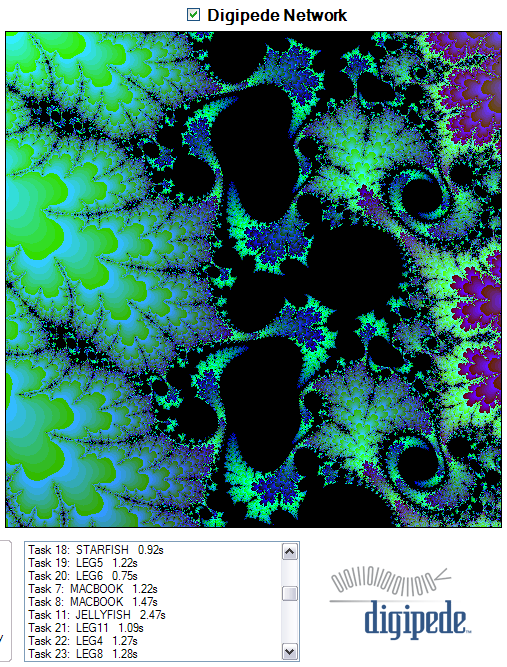
      e've been using a Mandelbrot generator as a sample application for quite a while now; those of you who have seen us at a tradeshow may have seen something like this before:

    Or have you? Look closer!

    Our new intern Robert started today, and he brought his Intel based MacBook. He booted to XP using Boot Camp, installed .NET, added himself to our network and installed a Digipede Agent. Next thing you know, he was adding CPU power to our grid!

    Notes:
  • The MacBook (with the Intel Duo Core) is screaming fast.
  • Robert only has 512 MB of RAM; he says that's plenty to run XP quickly, but OS X really lags. Now who's got the bloated OS?
  • My PowerBook at home died recently; maybe I'll have to think about the MacBook...

  • Technorati tags: ,

    Putting a grid behind Excel 2007

    O
      ver in the Excel 2007 blog, David Gainer discussed using a cluster behind Excel Services. The Excel Calculation Engine is now multithreaded and can take advantage of a beefy server, but David points out that, for even more powerful computation, you may want to use the power of many machines. I knew they had been working on this, and Stevan Vidich had an Excel Services demo running on the cluster at the SIA Technology Management conference.

    As David points out in his recent post, you can
    ...deploy your UDF to the cluster, and then use an XLL to (essentially – I am simplifying a tiny bit – and we will make sample code available at some point) call the UDF on the cluster with the appropriate parameters.
    I know there was a lot going on behind the scenes to make this happen--installing Excel Services on each cluster node, deploying an XLL around the cluster, etc.. Being a West Coast Grid guy, I wanted to see this run natively in .NET across a cluster. So I did this:

    First, I installed Sharepoint Server 2007 Enterprise Edition (which includes Excel Services) on the head node on my cluster. I made sure it was working by writing a UDF (that's User Defined Function) that does my old standby Monte Carlo simulation: calculating pi. It looked like this:

    for (int i = 0; i < mNumberOfDraws; i++) {
    x = rand.NextDouble();
    y = rand.NextDouble();
    if (Math.Sqrt(x * x + y * y) <= 1.0) {
    numberInsideOfUnitCircle++;
    }
    }

    mPi = 4.0 * numberInsideOfUnitCircle / mNumberOfDraws;
    It's inefficient and silly, but it works.

    In order to make this run on a grid, I pulled that code into its own class (which I called a DigipedePiWorker). Then, in my UDF, I added this code:

    DigipedeClient mDigipedeClient = new DigipedeClient();
    mDigipedeClient.SetUrlFromHost("leg7");
    mDigipedeClient.SetCredentials("dan", "dan");

    JobTemplate jobTemplate = JobTemplate.NewWorkerJobTemplate(typeof(PiWorker));
    Job job = new Job();
    for (int i = 0; i < tasks; i++) {
    DigipedePiWorker thisWorker = new DigipedePiWorker(numdraws);
    Task task = job.Tasks.Add();
    task.Worker = thisWorker;
    }
    job.TaskCompleted +=
    delegate(object sender, TaskStatusEventArgs e) {
    DigipedePiWorker dpw = (DigipedePiWorker)e.Worker;
    pi += dpw.Pi;
    };
    SubmissionResult submissionResult = mDigipedeClient.SubmitJob(jobTemplate, job);
    mDigipedeClient.WaitForJob(submissionResult.JobId);
    result = pi / tasks;
    This was fantastic. It took about 20 lines of code in total. My .NET objects were automatically distributed around my grid (and my cluster, because my grid includes a small CCS cluster). I didn't install Excel Services on any of the nodes. And I didn't have to manually deploy my UDF anywhere--the grid handled all of that for me.

    This is going to be a very powerful use case for Excel 2007--the ability to take a UDF and run it on many machines simultaneously puts a huge powerhouse in your spreadsheets. And Excel Services puts your spreadsheet into a browser. What does all of that add up to?

    Any user on my network can now view a spreadsheet in his browser, enter the inputs they want, and have the entire grid work on the results. That is cool stuff.

    I also can't get over how smoothly this worked. I'm a newbie to Sharepoint, so working with it took a little getting used to. But as far as writing my UDF (in Visual Studio 2005) and plugging it into a spreadsheet, grid enabling the UDF, then adding that spreadsheet to Sharepoint and making it accessible via browser--all that was done in less than an hour and a half this morning.

    Kudos to the Excel 2007 team. From the demos I had seen, I knew it looked great. I had no idea how easy and powerful it was going to be to work with!
    Technorati tags: , , ,

    Tuesday, June 27, 2006

    Kicking it old school...

    I
      spend a lot of time talking about developing grid enabled software, and certainly our critically acclaimed SDK is aimed at making that process easy. We love our API (and our customers do, too).

    I spend less time, however, talking about our ease-of-use with respect to traditional distributed computing: good old CLI. Certainly most distributed computing to date has involved moving a command-line application to many machines, running it (sometimes with different arguments or input files), then putting the results somewhere.

    It's old school, but it's important. And it's also important that you can do it without having to learn how to program or write perl scripts. Earlier today I read Joe Landman's post about Microsoft's entree into HPC. He certainly has many valid points (Joe's a smart guy, and one of the smartest when it comes to clustering), but on one thing I definitely disagree: HPC has historically been too difficult for many users, and needless complexity has indeed been a hindrance to adoption. I've had customers tell me this directly. You have to remember: not everyone knows how to write scripts or use a compiler.

    To that end, I recently made a short video that shows how to create and submit a command line job to the Digipede Network using our Workbench tool. This isn't a glitzy video; it simply shows how easy it is to run a command line job on our system. I linked to this page earlier today, but (coincidentally) the video just went up a few minutes ago. To find the video, click here then scroll down to "Submitting a Command-Line Job with Digipede Workbench."

    Technorati tags:

    Happenings at Digipede

    T
      hings keep happening! I like to keep the content on the blog as close to grid computing as possible and not let it come too close to being a company blog. But some weeks I spend all my time on business and marketing, so I don't necessarily have grid computing insights to share.

    Here's a Digipede post for you:

    The SIA Technology Management Conference was absolutely worth the trip to New York. I have to thank our partners (especially Stevan Vidich at Microsoft, and Dan Cox and Doug de Werd at HP) for doing such a great job of helping us evangelize grid computing (and our product) to the attendees. In addition to the Digipede booth, the Microsoft booth, and the HP booth, there was an "HP/Microsoft break room;" a place for private meetings with customers. They had built a screaming little 16-processor cluster (Microsoft CCS and Digipede Network on ProLiant servers with dual Opterons), and they were showcasing Excel Services, our software, and the interoperability thereof. It was fantastic to be endorsed by our partners so publically.

    Richard and Carl at .NET Rocks! put up my interview this morning! I haven't listened to it yet (and I'm not sure I will; it's always a little strange to hear myself speaking, and I find myself agonizing over every word choice). It was a good experience, though, and I was glad to find out that those guys were so excited about grid computing. Of course, they're obviously both SETI@Home fans, and the SETI@Home perspective on grid computing is a lot different than the enterprise perspective on grid computing (I'll probably write a post about that soon). But it was fun to do, and it was good to get the exposure. I don't podcast, so if you're interested in hearing about grid computing rather than reading about it, check it out. (Oh, and I don't know if I've ever linked to these before, but I now have 3 videos up on the Digipede site; check them out over here).

    Lastly, and this is a pretty cool one: the US Army Corps of Engineers is now using the Digipede Network to aid in their weather simulations. They're not doing any development at all: using their existing software and existing hardware, they're using the Digipede Workbench to design and submit jobs to their grid with no programming and no scripting. It's cool to see the Digipede Network being used to keep coastal communities safer.

    Ok, that's it for the commercial. Those of you reading the feed who don't see the update on the pushupometer, you'll be happy to know that today is day 178, and I'll top 16,000 pushups (for the year) tomorrow. Only 50,000 more to go!

    Technorati tags: ,

    Monday, June 19, 2006

    SIA Tomorrow

    I
      took the redeye from Oakland to JFK (still have yet to have a bad experience flying JetBlue—I'm definitely a fan) with my colleagues John and Nathan. Setting up for a show like this is always a blur of many details. The SIA Technology Management Conference is a bit of a bizarre bazaar. I've never seen so many booths packed so tightly into such a confined space (not even at Super Computing 2006, which was pretty tight). I have no idea what this place will look like when 7,000 attendees show up.

    Normally, I don't get too hyped up about shows that I'm attending as a vendor. However, I'm unusually excited about this show. As our press release said this morning, we've got some big announcements this week. First of all, we're very pleased to formalize our relationship with HP. Packaging our software with the leading server manufacturer's hardware makes it as easy as possible for customers to get the power of .NET grid computing on a cluster—and ease of use has always been

    We're also glad to further our relationship with Microsoft. We've always viewed them as our most important partner (in fact, we've been a gold certified ISV partner since before our product was released); having them present us in their booth here at SIA represents a new level of cooperation. The Financial Services team at Microsoft has been terrifically supportive—and very excited about what the Digipede Network gives them. They see it like we've always seen it: it's the best way for .NET developers to take advantage of Cluster Compute Server.

    So if you're at the SIA Tech Management Conference in the next couple of days, stop by our booth (#4506 upstairs), the Microsoft booth, or the HP booth. I'd love to see you.

    Technorati tags: , ,

    Friday, June 16, 2006

    Computers get slower every day

    W
      e have a saying around our office: "Computers get slower every day."

    "What?" you ask! "What about Moore's Law? What about 3 GHz Opterons? What about 3.4 GHz Xeons?"

    Well, ok, that's true. AMD and Intel are still innovating, and they're still churning out faster and faster chips. But the truth is, they're not keeping up.

    As I wrote last fall, increases in processor speed just can't keep up with increases in networking speed and disk density (I referenced this Scientific American article). When you take into account the amount of data that we can effectively move to a computer, the processor itself is relatively slower than it used to be.

    Now, combine this ever-increasing network speed with Jim Gray's observations about distributed computing: "Keep the computation near the data." But the corollary is, when you take into account increasing network speeds, "Your data is getting closer and closer every day." In other words, because networks are getting faster and faster, it makes more sense to move data to more processors in order to work on it.

    I write all of this because I had first-hand experience with it yesterday. Over on the Digipede Community boards, delcom5 had written to say that he had 15gb files to zip, and ask if the Digipede Network could be used to speed up the zipping process.

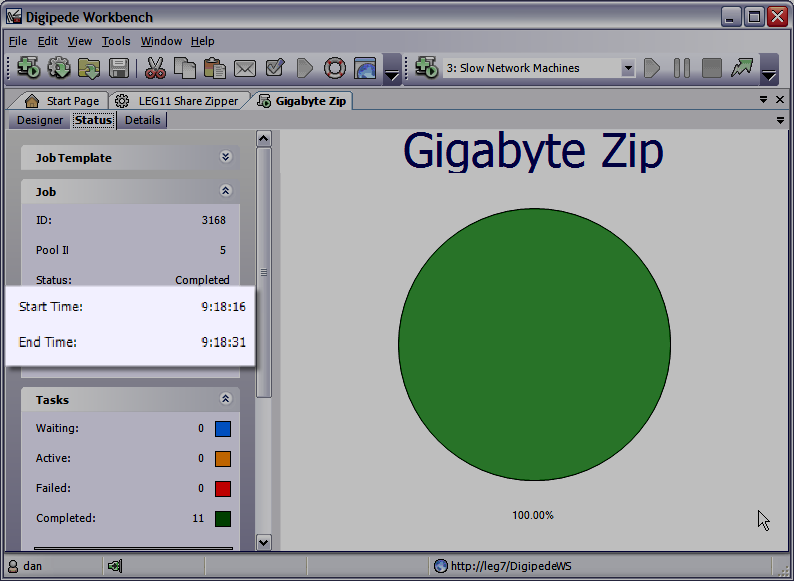
    I was curious about it, and I set out to try it. It was extremely simple to set up a job to zip files (took me maybe one minute using Digipede Workbench). However, when I ran it, even though I had 10 machines working on zipping, I got barely any speedup. Why? Well, I was dealing with 100MB files--and those take a while to move around my 100 MBit network! I was pretty frustrated.

    Digipede Workbench screenshotThen I decided to submit to a subnet that's wired with Gigabit Ethernet. Wow! What a difference. Zipping a gigabyte of files went from almost a minute and a half to fifteen seconds.

    A couple of years ago, this wouldn't have made any sense as a distributed computing problem--100MBit networks just weren't fast enough to make it work. If you wanted to zip a bunch of files, you were forced to do it on one machine. But with the order-of-magnitude performance increase that Gigabit Ethernet gives us, you get tremendous improvement by distributing this problem.

    The lesson here isn't just about zipping files, of course. As networks get faster faster than chips get faster, more and more problems like this become "eligible" for distributed computing every day.

    Friday, June 09, 2006

    CCS Released!

    A
      t long last, Microsoft released Compute Cluster Server 2003 today! Kyril Faenov, Ryan Waite and crew have worked for a long time, and they're releasing a great OS (Compute Cluster Edition) and set of HPC tools (Compute Cluster Pack).

    I know they'll be making a splash at Tech Ed 2006. Unfortunately, scheduling problems won't permit me to be there. Fortunately, Scott Swigart over at Tech Blender pointed me to Virtual Tech Ed, where I'll be able to follow all of the action!

    Anyway: Congratulations Kyril and Ryan! Have blast in Boston.

    Technorati tags: ,

    Unscheduled Uptime on Blogger: Post Immediately!

    T
    ough week to be blogging on Blogger. There was downtime most of the day, nearly every single day. I'm surprised that I had any hits at all--I could almost never see my own site. In fact, I could almost never see any Blogspot site. Blogger, here's a suggestion: create a status/information page that's hosted on another site so we can get information when you're down!

    I'm considering moving--perhaps to my own site on Bluehost, running Wordpress. Any other ideas? I'd be interested in running .NET at a host who supports .NET (I know GoDaddy does), but are there any good .NET blogging packages out there?


    We had an exciting week here at Digipede. We nabbed a new customer in the financial services space who will be scaling their SOA using the Digipede Network--I think we'll have a press release out soon. We also continue to prepare for the SIA TMC 2006 conference. The amazing thing about that is that we're now running our VSTO 2005 project in Excel 2007--with no recompiling! Just loaded it up, and it ran. So that means we'll be showing Excel 2007 starting .NET jobs on a grid running on Compute Cluster Edition cluster. Sweet.

    I also recorded my .NET Rocks! interview this week. That was a blast; Carl and Richard are smart guys (and if you ever want to see some crazy photos of water cooled super PC's, check out Richard's blog). They're shuffling their schedule right now around TechEd; current projections are that my interview will "air" on June 27th. I'll keep you posted on that.

    Technorati tags: , ,

    Monday, June 05, 2006

    Matrix Multiplication on the Digipede Network

    R
    ich Ciapala did a great, extensive review of Windows Compute Cluster Server 2003 in the April, 2006 edition of MSDN Magazine. He took a sample application (matrix multiplication) and runs it on CCS three different ways: in a single call, as a distributed application using several calls, and as a single, MPI-enabled application.

    It's a great, in-depth article. Rich dove in headfirst, and he dove in deep! Thanks for such a practical, hands-on guide. Matrix multiplication takes a ton of calculation to do and is very parallelizable, so it's a great sample.

    In fact, it was such a good sample, I decided to take the same application and implement it using the Digipede Network!

    We don't have an MPI implementation (and if you need it, CCS is the right tool for you!), so I'm going to mimic the functionality of Rich's second example: taking their (command line) matrix multiplication tool, and run it using the Digipede Workbench.

    First, I created a 5000 row by 5000 column matrix. For my test, I'm going to write code to square it (multiply it by itself). Each of the 25,000,000 cells in the resulting matrix takes 5000 multiplications to calculate.

    Next, in order to have a "control" for my experiment, I multiplied it by itself on one machine. I chose one of our faster servers for this: a 3GHz box. Multiplying my huge matrix by itself on that one machine took just over an hour:


    Ok, now we've got a baseline. Next, I used our GUI tool, Digipede Workbench, to create a job submission. The MatrixMultiplier takes the following arguments:

    MatrixMultiplier.exe [input matrix] [input matrix] [output matrix] [quadrant X] [quadrant Y] [quadrant dim]

    For my test, I broke the multiplication up into 16 tasks. For example, the command lines for my first three tasks need to look like this:
    MatrixMultiplier.exe InputMatrix.mtx InputMatrix.mtx output0.mtx 0 0 1250
    MatrixMultiplier.exe InputMatrix.mtx InputMatrix.mtx output1.mtx 1250 0 1250
    MatrixMultiplier.exe InputMatrix.mtx InputMatrix.mtx output1.mtx 2500 0 1250


    Fortunately, creating command lines like that are a breeze with the Workbench. I did this whole thing using variables, by the way, so I could re-use it later for more matrix multiplication jobs without going through the whole process again.


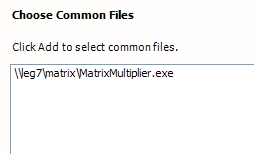
    First, I gave it the name of the executable:

    Then, I gave it the name of the Matrix I was going to multiply.

    I defined XQuadrant as a range variable from 0 to 4999 (the size of my matrix), step 1250.


    I defined YQuadrant the same way. Then I defined QuadrantSize to be 1250. If, in the future, I want to use this Job to multiply different size matrices (or using different size quadrants), I can change these values on submission.

    After telling it where to put the result file, I defined the command line:

    Notice all of the variables on the command-line: the file name of the input file (used twice), the output file name, the quadrants (x and y), and the quadrant size.

    Then I clicked "Submit!"

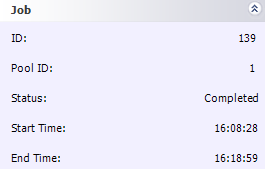
    The whole job definition process took about 10 minutes or so. And the job took 13.5 minutes to run--nearly a 4.5x speedup!

    Here's an aside: With about 10 machines on the network, I wondered why I was only seeing less than a 5x speedup. I looked at the task times, and I realized that my five slowest machines were so much slower than the others that they were actually holding things up. I resubmitted my job; this time, I broke it into 64 pieces (this was really easy; I just had to go through the wizard again, changing my quadrant size and step sizes to 625. Piece of cake!)


    And the results were good: it knocked 3 minutes off my run time, bringing it down to 10.5 minutes. By giving finer-grained work to the Digipede Network, I allowed its CPU load balancing to work most efficiently. My grid did 60 minutes of work in 10 minutes; that's a 6x speedup. Considering that I have 4 fast machines and 5 slow machines (much slower than my "control" machine), the 6x speedup was just about optimal for this problem.

    [Update 2007-10-17]: We're doing some testing right now, and we've just added two eight-way boxes to our test grid; today it is 14 machines with a total of 35 cores. I just re-ran this test and it took two minutes and 19 seconds. Yum!

    Technorati tags: ,

    Friday, June 02, 2006

    Not Another Trademark Dispute!

    Grid Computing Planet logo

    T
    hanks to Paul Shred and the gang over at Grid Computing Planet for mentioning our release of the Digipede Developer Edition and launch of the Digipede Developer Network in yesterday's edition.

    However, there seems to be a slight typo in the headline, and I don't want to get in an O'Reilly-esque trademark dispute.


    So let's be clear (Bill and Steve, are you listening?): We launched the Digipede Developer Network. I'm pretty sure someone already has something called the Microsoft Developer Network!

    Technorati tags: ,

    Hey everybody, look at me!

    M
    y friends and family all know that I'm an attention hound. Well, here are some upcoming events where you can see me, hear me, or maybe even both!

  • 6/6/06 - Developer Webinar: This 30-minute webinar will give a technical overview of the Digipede Network and then dive into Visual Studio, showing how to grid-enable an application. Register here.

  • 6/13/06 - .NET ROCKS: I am very excited to be the guest on .NET Rocks--the Internet Audio Talk Show for >NET developers. Carl Franklin and Richard Campbell are wizards at taking a very technical discussion and making it a very entertaining show. Listen here.

  • 6/13/06 - Finance Webinar: Another webinar, but this one will be lighter on the code and heavier on the application. Thirty minutes, concentrating on uses of grid computing in finance. Register here.

  • 6/20-22 - SIA TMC 2006: The Security Industry Association's Technology Management Conference is Wall Street's E3--the place to see the latest, greatest tech tools being used in capital markets. We'll be there, showing some really cool applications and talking about what our finance customers are doing with grid computing. We'll also have some very exciting partner announcements, but the details on those will have to wait. For those of you in New York, this is a chance to come check out the Digipede Network in person.

  • Technorati tags:

    Wednesday, May 31, 2006

    The more things change, the more they, uh, you know...

    T
    his quote came across my news alerts today:
    Fewer than one in 10 businesses is planning to adopt grid computing because of concerns about cost, complexity and security, according to a survey of IT managers.
    It was reported here in Silicon.com, quoting a study done by Vanson Bourne.

    The article paraphrases Peter Critchely of Morse, who commissioned the study, saying, "...grid computing is being held back by confusion and myths surrounding the technology."

    I was all fired up to write a post about how needless complexity is what has been holding back grid computing for quite a while...and then I remembered that I already wrote that post. Last September. I wrote about how, at Digipede, we felt that addressing complexity issues was our top priority.
    We concentrated on ease-of-use in every phase of the product--from how it would be sold, how it would be installed, how developers can work with it, and how it would work for people who have never written a line of code in their lives.


    In the intervening 9 months, we've been able to show that grid computing doesn't have to be difficult. There's the bazillion dollar investment fund that ported their trading analysis software faster than their lawyers could examine a license agreement (case study here). There's the media company that took a CPU-starved, multi-threaded application that was threatening to choke their server, and in just a few days had it running on 20 machines on their network (case study here). There are companies scaling their web applications. There are biologists doing complex genetic analysis. There's even weather simulation. All of it happening by doing "grid computing."

    And how many clients have we visited? Zero. Nada. Zilch. Oh, sure, Rob and John went to Universal Studios with one client, but that was really for the Mummy ride, not to discuss intricacies of grid computing.

    So how have we been able to help our customers if we aren't holding their hands? Simple: our product is radically easier to BILU.

    Today, we made it even easier to try out. Today we announced our free Digipede Network Developer Edition. What is the developer edition? It's a fully-functional, full-featured version of our product. It lets any developer working on a Microsoft platform check out the Digipede Network up close and personal. Run our samples. Run your own code. Play with it. We want more developers to experience what our customers already have: Grid computing doesn't have to be hard.

    To download the Digipede Network Developer Edition, go here.

    Technorati tags: ,

    Wednesday, May 24, 2006

    Vogels and Gray

    I
     f you're interested in distributed computing (and if you're reading this, you probably are), I sure hope you're also reading Werner Vogel's All Things Distributed. Last week, he mentioned an interview that ACM Queue magazine had published. Jim Gray of Microsoft Research sat down with Werner (CTO of Amazon) and did a terrific interview. Hat tip to ACM for giving them the space to have a great conversation--it runs about 8 pages long.

    Reading these two discussing distributed computing is a little like listening in on Bohr and Planck talk atomic theory. They really are two of the world's preeminent authorities in this territory.

    The topic of the interview is Amazon's technology, so there is a ton interesting history. Among the nuggets you'll find is that Amazon was a single, monolithic application until 2001. At that time, they changed to a service-oriented architecture (and, as Werner points out, that wasn't a buzzword back then--it's what they had to do to scale).

    I won't try to summarize the whole article (you should go read it). It's a great exposition on the practical application of SOA. The relevant thing for this blog--it's distributed computing that makes the whole thing possible.

    Technorati tags: ,

    Friday, May 19, 2006

    Well, at least they're paying you to go through it...

    A
      ccording to this recent review, writing code to run on Sun Grid is a serious pain in the astral plane ("analysis finds hidden costs in Sun platform" and "Sun Grid requires extensive man-hours and code rewriting to run custom applications").

    Apparently, Sun is feeling the heat. As I saw in Greg Nawrocki's post today (and other places, including Slashdot but not Techmeme, interestingly enough), Sun is offering $100,000 to anyone who can figure out how to do it as a prize in a contest.

    Have fun with that!
    Technorati tags:

    Monday, May 15, 2006

    Scaling A Web Service--Webcast Tomorrow

    O
     ne of the most exciting ways that people are using the Digipede Network is to scale web services. I know it sounds pretty pedestrian; so why is it exciting?

    First, people are using web services to do some exciting things these days. The increasing adoption of Service Oriented Architecture, along with the capability of providing useful tools across the internet (think Web 2.0), mean that people are putting more and more cool applications behind web services.

    But second, scaling a web service on a grid is the kind of thing that doesn't involve any re-architecture of an application. See, when many people think about the concept of grid computing, they think, "Well, that sounds great for a very special type of application, but it wouldn't work for me"--especially those who haven't seen the light of Object Oriented Programming for Grid.

    However, scaling a web service doesn't mean you have to re-architect your application. There's no need to write any "parallelization" code. It just means running your web service on the grid to provide scalability. You can think of it as a CPU Load Balancer. It means that when a user hits your compute-intensive web service, it gets processed by a machine that has CPU capacity ready.

    To show how easy it is to wrap a web service in some grid code and have instant scalability, I'm giving a webcast tomorrow morning (10:00AM PDT). I'll give an overview of the Digipede Network, then take a web service and grid-enable it. The whole thing will only take 30 minutes. There's only room for 15 people in the webcast; register here to secure a spot!

    No parallelization required.

    Tuesday, May 09, 2006

    Double Your Pleasure, Double Your Fun

    A
     t the risk of linking to Nick Carr once too often, I'm going to offer some comments on his latest incisive post.
    Microsoft has an opportunity to integrate the two OSes in a way that can put Google at a significant disadvantage. To put it another way, it has an opportunity to manage customers' transition from the computer OS to the Web OS in a way that furthers its own interests - and damages Google's.
    An excellent point, Nick. When I heard about Microsoft's increased capital expenditures, the idea of offering some easy transition from desktop to web OS hadn't really occurred to me. It's a fascinating idea, though, and one that their .NET development tools will help make even easier.

    The funny thing is that I did think that perhaps Google was going to open up their server farms to outside software. Last fall, when Google announced their partnership with Sun, I posited that with Google's distributed OS (and ginormous server farm) and Sun's utility computing experience, they may be creating the world's largest grid-for-hire; I noted that one inconvenience was "you're going to have to rewrite your code to run on a different OS."

    In an earlier post, I noted that "For an enterprise distributed computing system, enterprises want an OS that is deployed within their enterprise. They want an OS that they develop on all the time."

    As Carr points out, Microsoft already has that advantage. They've also got 20 years of putting together world class development tools for that OS.

    Carr asks the question
    Google could, of course, try to counter Microsoft's advantage by offering its own computer OS - a version of Linux, for instance - but it's hard to imagine such a move succeeding. Would a critical mass of users really make the leap?
    Not only that, but does Google want to release GLinux? My comments from last September:
    It would surprise me greatly to find out that Google has any interest in all at making an all-purpose operating system. One of the hardest things about making any public OS is the hundreds of thousands of drivers that have to be written to handle peripherals; does Google want to get in the business of making sure every printer on earth works with their OS?
    If Nick is right, and Microsoft will indeed be able to bridge "the two OSs," it will be a fascinating battle. Google may be forced to release an OS just to compete. And if that happens, sparks are really gonna fly.

    Are the server wars over?

    A
     pparently my comment notification system isn't working right--or I just received a comment on a two-month-old post. The misconceptions in the comments were great enough that I thought it deserved its own post.

    I had been engaged in a bit of repartee with Nick Carr (one of the best in the blogosphere, IMHO, so click on an ad next time you're on his site) about whether the server market is doomed (one of the few subjects in which I disagree with Mr. Carr). My post is here ( Because 1.21 gigaflops just aren't 1.21 gigawatts).

    A reader--Bert Armijo of HotCluster left the following comment:
    I'm afraid you're using the exceptions to build your rule.

    90% of all compute cycles are exactly the same. If you doubt that, take a quick look at the server marketshare data. The processor, memory and I/O architecture battle has been settled. So, as long as you're running typical business or web applications and not HPC, computing resources can be considered a commodity.

    How to deliver that resource is decided. It's TCP/IP over the internet.

    What's been missing is a standardized way to organize the usage of remote cycles to power a distributed application. This challenge has also been solved and now we get to see how the market reacts.
    As I said in my follow-on comment: There's a standard processor? Is there a standard OS? Are there standard "typical business applications?"

    At Mr. Armijo's suggestion, I decided to take a quick look at the server marketshare data. Although he never said it explicitly, I can only assume that he means that the world has standardized on Linux. However, according to this article on LinuxInsider, there is no clear leader in the server market.

    In terms of revenue, Windows has the largest share of the market at somewhere north of $17.7B in 2005. Second place? UNIX, of course, at about $17.5B. Linux systems come in third, with about $5B in revenue in 2005--the first time Linux systems have finished that high. Linux is growing quickly, of course, experiencing 20% revenue growth.

    Surprising? A lot of people would think so--although not the server manufacturers themselves. I met with a major manufacturer recently who ships UNIX, Linux, and Windows servers, and over 40% of their servers (in terms of units) ship with Windows on them.

    My point here? Simply that there is no clear market leader. UNIX was the server leader for more than a decade, and it is slowly slipping out of site (the sad news about SGI this week was one more indicator). Windows has taken the lion's share of the UNIX slice of the pie, but Linux is growing very quickly (and will continue to grow).

    Mr. Armijo also says that the processor battle has been settled. Has it? AMD has been enormously successful in the 64-bit arena--so much so that Intel has rethought its entire strategy for the 64-bit platform.

    So to say there's a standard is to willingly put blinders on. There are multiple operating systems out there. There are multiple hardware platforms out there. And many are thriving. Many will continue to thrive.

    Mr. Armijo didn't explicitly call out any standard operating system, and it's possible that I've mistaken his point. But all software doesn't run on all operating systems, and that's part of my point when I say "compute cycles aren't all alike." Software needs an OS. Those "typical business applications" that he talks about run on different operating systems, and many are dependent on a single OS.

    To repeat myself: I'm a believer in utility computing. I think it will have an ever-increasing role in business. But it's not a panacea, and it's not easy. Using utility computing is still a difficult, nasty business (see CRN's review of Sun Grid).

    Moreover, there are the concerns I raised in my previous post:
    Not all compute problems can be "shipped out" easily. There are huge data concerns. First of all, there are the ubiquitous privacy and security issues: some data people just don't want leaving their building.

    Beyond that, though, there's the issue of data size and compute-to-byte ratio. If I need to do a quick search of a huge dataset I just collected from my genome lab or my jet design windtunnel, it may not make sense to move that to a "computing powerplant." Heck, I may be collecting tons of data in real time, and I need to analyze it in real time. I need my computes where my data is. As Jim Gray says, "Put the computation near the data." If your data are with you, that means your computes are with you as well.
    For the last time: I'm not arguing against utility computing. But if you think that it will apply to every computing problem, that enterprises are going to get all of their CPU cycles over the net and no one will buy servers anymore, you're just not looking at the real world.

    (I also used some numbers directly from this IDC press release, which was the source for the LinuxInsider article).

    Technorati tags: , , ,

    Monday, May 08, 2006

    Grid: No Simple Answers? Or Simpler Than You Think?

    D
      riving around Oakland this weekend I saw thousands of Mexican flags--the confluence of Cinco de Mayo the same week as the May Day immigrant protests led to a huge community celebration. I was at a gas station and chanced into a conversation with two Mexican immigrants--one legal, and one illegal. Because I have a passable knowledge of Spanish, they asked what I thought about the situation. My answer: it's a tough nut to crack. There simply are no easy answers.

    When it comes to grid computing, people want easy answers, too. It's funny how many very educated people (like, PhD kind of people) want to know if we've found a way to take a single-threaded, monolithic piece of code and run it in parallel on many machines to make it go faster. The answer to that is, of course: no. We're not magicians, and anyone who can tell you they can do that has probably also spent time in a sphere full of water in New York.

    So distributed computing isn't magic. That said, it also shouldn't be as hard as people have made it out to be.

    There's been an acceptance in the industry that distributed computing is hard (and, to be certain, some aspects of it are very hard). But that has led most industry players to allow all of it to be hard. The prevailing attitude seems to be: "It's difficult stuff; you want to learn how to do it? Install the right flavor of the right version of the OS, learn Perl, spend weeks poring over the message boards, or hire some expensive consultants to do all of that for you."

    But it doesn't have to be that hard. You don't need consultants to install most software--why should grid software be any different? Most systems don't prevail upon their users to learn scripting languages in order to take advantage of them--after all, most users aren't programmers. So why do all traditional grid systems rely on scripts?

    This isn't to say that people who use those systems don't understand the concepts of ease-of-use. It's just not a feature they've been thinking about. I had a meeting last year with some PhD students who do work on the GLOBUS Toolkit. When they saw the Digipede Workbench (the tool that lets you design and run jobs without having to write scripts), they didn't snicker at a silly Windows tool. They said, "I wish we had one of those!"

    That, incidentally, is the tool that the reviewers from CRN magazine used when they compared the Digipede Network to Sun Grid. Of course, their conclusion (as I wrote last Friday): "The difference in ease of use in Sun Grid vs. Digipede was enormous."

    We used the same ideas when we designed our critically acclaimed development tools: distributed computing doesn't have to be hard.

    So can grid computing make all of your software magically run faster? Of course not.

    Does grid computing have to be very difficult to implement? I say, the answer is the same: Of course not.

    There may not be simple answers to every question in life, but maybe there are some simple answers in grid after all...

    Technorati tags: , , ,

    Friday, May 05, 2006

    John vs. Jonathan? Digipede Outshines Sun

    CRN magazine ("Vital Information for VARs and Technology Integrators") released an article today on Sun Grid (Sun's CEO is Jonathan Schwartz) and the Digipede Network (Digipede's CEO is John Powers): Review: Gridlock Alert For Sun Grid?

    The article's subhead says it all:

    Analysis finds hidden costs in Sun platform, while competing Digipede offering shines
    Now, I'm not sure that the Digipede Network is really a competing offering--after all, Sun Grid lets you rent distributed computing on Solaris boxes by the CPU hour, while the Digipede Network lets you use your own Windows machines (without any hourly charges).

    The reviewers found was that Sun Grid was extremely difficult to use. "In the end, the Test Center was unable to complete the project as originally planned, even with the help of Sun engineers." Ouch.

    How about doing the same job using the Digipede Network? "The difference in ease of use in Sun Grid vs. Digipede was enormous."

    How so? Well, they didn't have to rewrite their application to use NetBeans--the Digipede Network is just as comfortable distributing command-line executables as it is distributing .NET objects--they just used their existing app. They used the Digipede Workbench Job Wizard to define their job ("developers need not learn how to build scripts"). And the result:
    Test Center engineers completed the Digipede job in less than one hour vs. five hours for Sun Grid.
    Mind you, the five hours they mention aren't the $1 per hour kind: they're talking about human effort time. Expensive time. User time. In less than an hour, they had the Digipede Network up and running their jobs: no recompiling, no relinking, no rearchitecting, and no strange scripting.

    One side note: while we love the Microsoft development tools, we know not everyone uses them. In this article, they mention that they built their application using the DOS GNU compiler. We have customers using development platforms as diverse as PHP and Python, as well as many different flavors of Microsoft platforms.
    Technorati tags: , , ,